Introduction to Java
Explore the world of Java by learning what Java is, who created it, its core principles, major features, advantages and limitations, various Java platforms, and why Core Java remains one of the most popular technologies in software development and testing
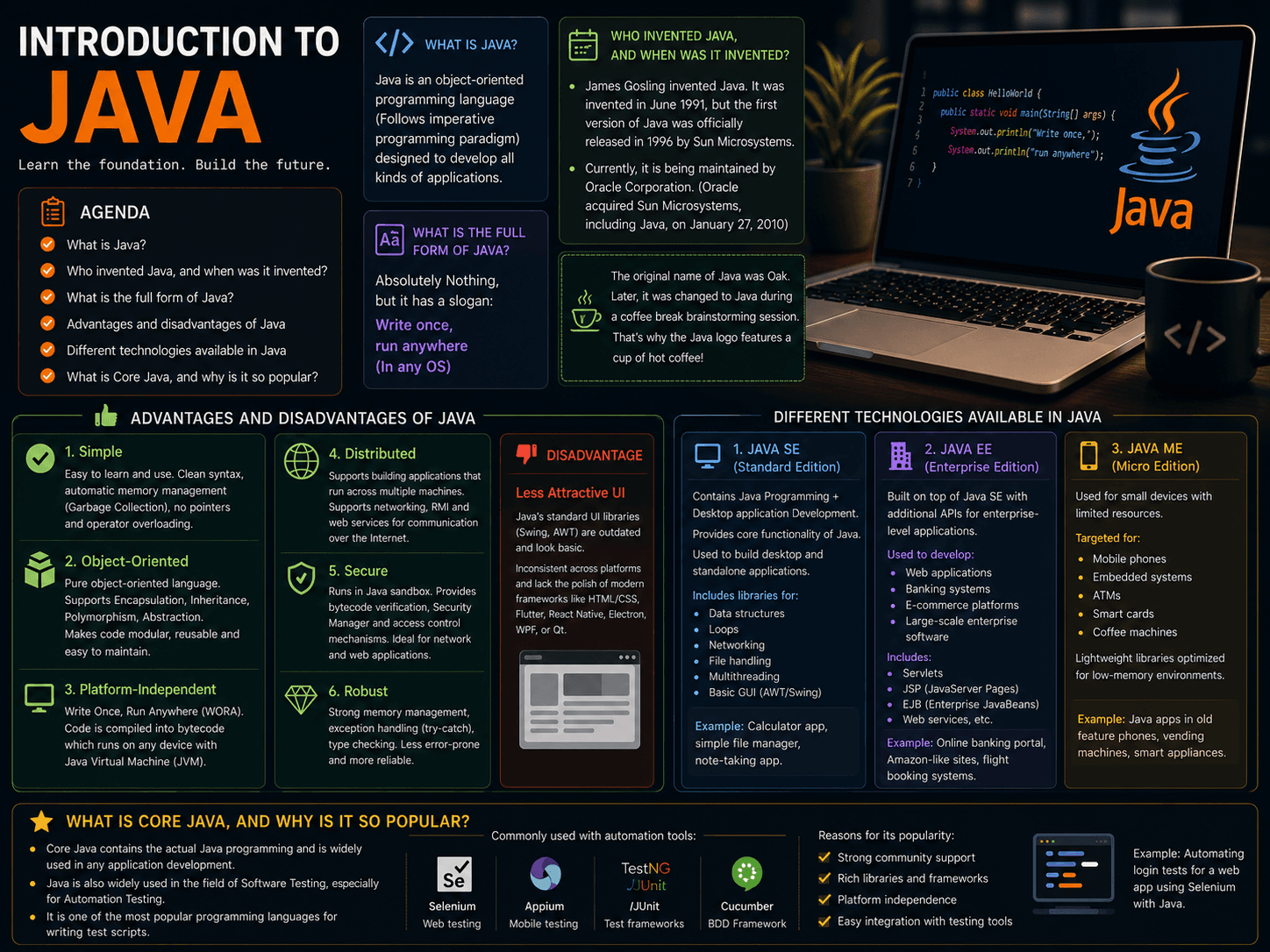
Introduction to Java
Agenda
- What is Java?
- Who invented Java, and when was it invented?
- What is the full form of Java?
- Advantages and disadvantages of Java
- Different technologies available in Java
- What is Core Java, and why is it so popular?
What is Java?
Java is an object-oriented programming language (Follows imperative programming paradigm) designed to develop all kinds of applications
Who invented Java, and when was it invented?
- James Gosling invented Java. It was invented in June 1991, but the first version of Java was officially released in 1996 by Sun Microsystems.
- Currently, it is being maintained by Oracle Corporation. (Oracle acquired Sun Microsystems, including Java, on January 27, 2010)
The original name of Java was Oak. When James Gosling was developing the programming language, he initially named it Oak because there was an oak tree outside his office.
Later, the name was changed to Java. During a brainstorming session while drinking coffee, the team came across the name Java, which is a type of coffee bean known for its strength. They chose this name because they wanted something unique, dynamic, and powerful—just like Java coffee.
That’s also why the Java logo features a cup of hot coffee—as a tribute to the name and the coffee culture that inspired it.
What is the full form of Java?
Absolutely Nothing, but it has a slogan: Write once, run anywhere (In any OS)
Advantages and disadvantages of Java
- Simple
- Object-oriented
- Platform-independent
- Distributed
- Secure
- Robust
1. Simple
Java is designed to be easy to learn and use.
- It removes complex features like pointers and operator overloading (which were in C++).
- Its syntax is clean and readable.
- Java also handles memory management automatically using Garbage Collection, so programmers don’t have to manually free memory.
2. Object-Oriented
Java is a pure object-oriented language, meaning everything revolves around classes and objects.
- It supports OOP concepts like:
- Encapsulation
- Inheritance
- Polymorphism
- Abstraction
- This makes code modular, reusable, and easier to maintain.
3. Platform-Independent
Write Once, Run Anywhere (WORA).
- Java code is compiled into bytecode by the Java compiler.
- This bytecode can run on any device that has a Java Virtual Machine (JVM).
- So, you can write Java code on one machine and run it on another without modification.
4. Distributed
Java supports building applications that can run across multiple machines (distributed systems).
- It has built-in support for networking using packages like
java.net. - It supports Remote Method Invocation (RMI) and web services, allowing objects to communicate across the Internet.
5. Secure
Java is designed with security in mind.
- It runs inside the Java sandbox, preventing untrusted code from accessing critical resources.
- Java has features like:
- Bytecode verification
- Security Manager
- Access control mechanisms
- This is why Java is often used in network and web applications.
6. Robust
Java is strong and reliable.
- It has strong memory management (through garbage collection).
- It handles errors and exceptions effectively using try-catch blocks.
- Features like type checking and exception handling make it less error-prone and more stable.
Disadvantage: Less Attractive UI
- Java’s standard UI libraries like Swing and AWT are outdated and don’t offer modern-looking interfaces by default.
- The UI often looks inconsistent across platforms and lacks the polish and responsiveness of newer UI frameworks.
- Compared to modern technologies like:
- HTML/CSS + JavaScript (for web)
- Flutter, React Native, or Swift (for mobile)
- Electron, WPF, or Qt (for desktop) Java's GUI components may appear basic or unattractive.
Different technologies available in Java
1. Java SE (Standard Edition) → Contains Java Programming + Desktop application Development
- Stands for Java Standard Edition.
- It provides the core functionality of Java.
- Used to build:
- Desktop applications
- Standalone applications
- It includes libraries for:
- Data structures
- Loops
- Networking
- File handling
- Multithreading
- Basic GUI (via AWT/Swing)
Example: Calculator app, simple file manager, note-taking app.
2. Java EE (Enterprise Edition)
- Stands for Java Enterprise Edition.
- Built on top of Java SE with additional APIs for enterprise-level applications.
- Used to develop:
- Web applications
- Banking systems
- E-commerce platforms
- Large-scale enterprise software
- It includes:
- Servlets
- JSP (JavaServer Pages)
- EJB (Enterprise JavaBeans)
- Web services, etc.
Example: Online banking portal, Amazon-like shopping sites, flight booking systems.
3. Java ME (Micro Edition)
- Stands for Java Micro Edition.
- Used for small devices with limited resources.
- Targeted for:
- Mobile phones
- Embedded systems
- ATMs
- Smart cards
- Coffee machines
- It has a lightweight set of libraries optimized for low-memory environments.
Example: Java apps in old feature phones, software inside vending machines, and smart appliances.
What is core Java, and why is it so popular?
- Core Java contains the actual Java programming and is widely used in any application development.
- Java is also widely used in the field of Software Testing, especially for Automation Testing. It is one of the most popular programming languages for writing test scripts.
- Java is commonly used with automation tools like:
- Selenium – Web application testing
- Appium – Mobile app testing
- TestNG / JUnit – Test frameworks
- Cucumber – BDD (Behaviour-Driven Development)
Reason for its popularity:
- Strong community support
- Rich libraries and frameworks
- Platform independence
- Easy integration with testing tools
Example: Automating login tests for a web app using Selenium with Java.
- Java is commonly used with automation tools like: